
Why Descript Rocks for Time-Strapped Business Owners: The Ultimate Video Editing Tool!
By, Heather Stephens
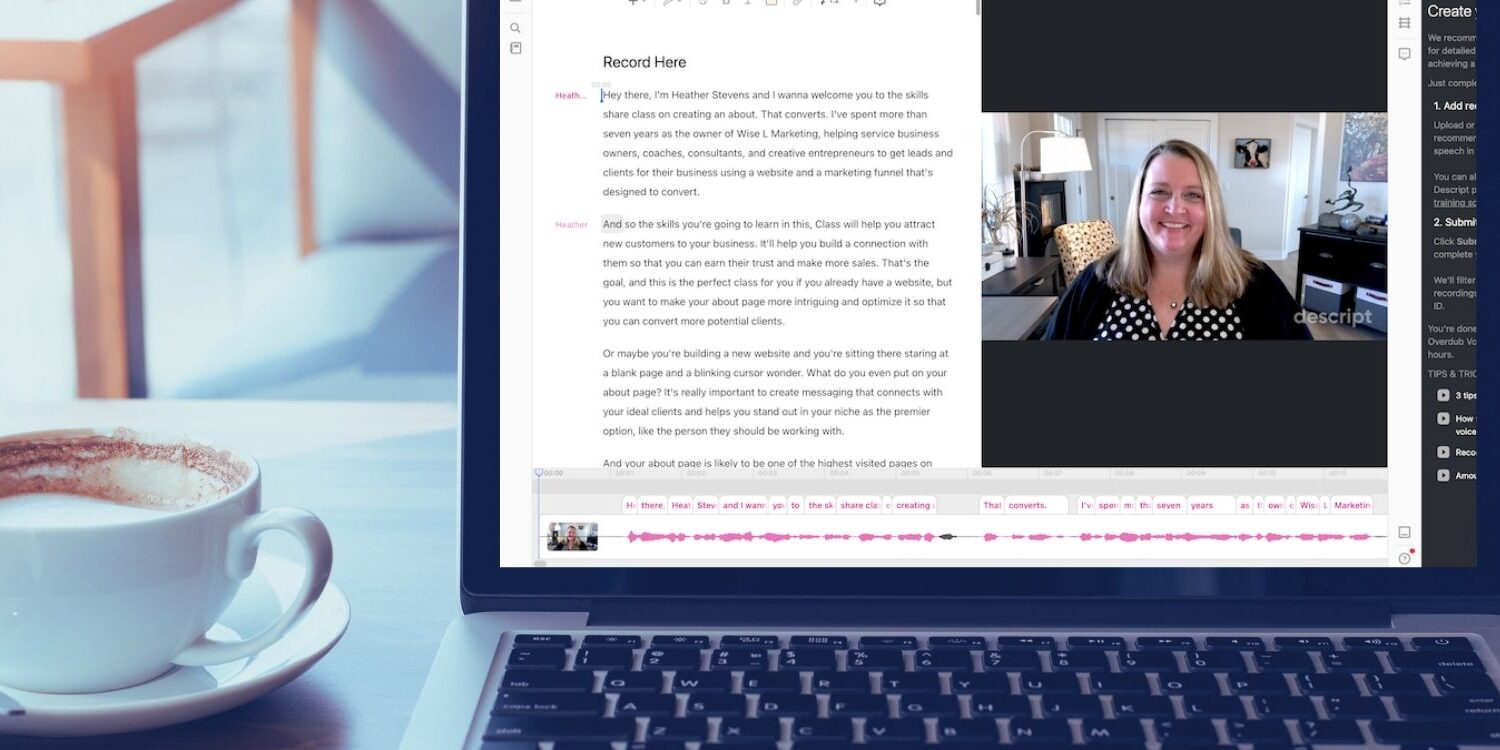
When growing a business online, time is your most precious resource. With a million things on your plate, finding efficient ways to tackle your tasks is a must. And let’s face it, video editing can be a real time-sucker, especially if you’re not a video editing pro.
The options have always been to pay big bucks and hire someone to do it or spend hours hunched over your laptop, tediously editing your videos.
I’ve got the solution that’ll save you time and make video editing a breeze: Descript*.
This video editing tool for beginners (and pros) has been a game-changer for me when it comes to editing my videos for Instagram, YouTube, digital courses, etc!
Unleashing the Power of Descript Transcription for Content Creators
Descript’s best feature, in my opinion, is transcription.
With it’s built-in artificial intelligence, Descript automatically transcribes your audio and video files in a matter of minutes. No more hours wasted on manual transcriptions. And the best part? You can easily edit those transcriptions right within the Descript interface.

But here’s where things get really cool. Instead of fumbling around with audio tracks, Descript lets you edit your videos simply by editing the transcriptions. Just highlight, delete, or move words or passages in a text editor, and voila! Your video gets magically edited.
It’s super intuitive, even for newbies to the world of video editing.
(Ahem…me!) I don’t even own a video editing program. Apple’s iMovie, which came pre-installed on my computer and phone, is all I’ve ever used. Wait, I also use Canva, so technically, I have a video editor in that program, but you get the picture. I’m as “beginner” as they get when it comes to video editing.
Let’s Talk About Descript’s Transcription Pricing Compared to Rev.com
Spoiler alert – Descript is a bargain!
I’ve been a Rev.com* user and fan for years, but after figuring out how to do my transcriptions in Descript, I’ve been able to save the $0.25 per minute I was paying on transcripts and I’ve never looked back.
| Platform | Cost of Transcription |
| Rev.com | $0.25 per minute = $15 for 60 minutes |
| Descript FREE | Free for 60 minutes per month |
| Descript Creator’s Level | $15 per month for 600 minutes of transcriptions |
Descript (at the time of this writing) has a free plan where you transcribe one hour (60 minutes) of videos per month, which would have cost me $15 on Rev.com. I upgraded to Descript’s Creator which currently costs $15 per month ($12/month if you pay for a year). At this level I get 10 hours (600 minutes) of transcriptions for the price of one hour had I stayed with Rev.com.
Again, here’s my referral link if you want to sign up for Descript*. I encourage you to try it out at the free level to see what you think.
Beginner-Friendly Video Editing Process FTW
Say goodbye to the hassle of video editing with Descript’s streamlined process. Once your video is transcribed, you can listen to the audio while reading the transcript. Need to make some edits? Just highlight the words or passages, hit that delete button, and Descript takes care of the rest. Smooth and seamless.
But that’s not all. Descript throws in some neat tools to make editing your videos even easier.
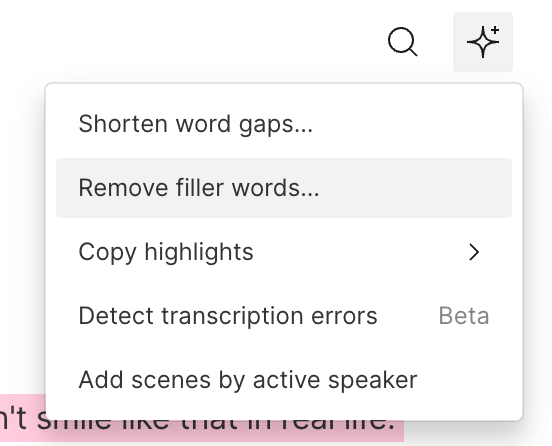
Let’s take filler words, for example: you know, I mean, like, so, um… (I’m guilty of them all!)
With just one click, Descript works its magic and deletes them all at once, saving me from the mind-numbing task of manually hunting them down.
It also removes word-gaps and smooths out audio transitions, so your videos sound cleaner and less choppy.
Enter the AI Wizardry: Descript’s Overdub Feature

Descript blows my mind with its AI magic they call Overdub. This feature lets you insert words into your transcript and have them magically appear in your recording. You can even train the AI to mimic your own voice by uploading some of your videos and letting it analyze them.
Need to make last-minute changes or clarifications? No need to reshoot the entire video. Just use Overdub to add those words or phrases, and ta-da! Time and effort saved.
This is ultra helpful for people like me who still mix up left and right and frequently scramble numbers when I speak. (My husband is frequently reminding me that he’s thankful I design custom websites instead of being an air traffic controller or 911 dispatcher when I’m navigating for him on a road trip.)
Collaboration Made a Breeze

Working with a team to collaborate on video projects? Descript includes collaborative editing capabilities.
I just discovered this feature. I can give my teammates access to my videos to pull my transcriptions so they can add them in our member’s area or under a video on the site to make it accessible.
Your teammates can also edit or provide feedback directly within the Descript interface.
Integrations and Automation? Yes!

I get it-you’re a business owner with a million tools and platforms to juggle. That’s one of the reasons I love marketing automations so much.
The good news is that Descript works with Zapier, so it can integrate popular platforms like Dropbox, Google Drive, and Zoom. Imagine the convenience of automatically uploading your group coaching calls to Descript and having them ready and waiting for you when you want to edit.
Video Production Made a Piece of Cake
Descript is not just your average video editing tool-it’s a powerhouse. The interface feels more like a word processor than crazy complicated editing software.
Descript lets you throw in text overlays, images, and shapes if you want to jazz things up. It’s easy for beginners but loaded with advanced options for the pros.
To shorten your learning curve, Descript has some helpful tutorials you may want to check out in their help center*. Here are a couple I recommend for starters.
Editing Empowerment at its Finest
When you are working to grow your coaching business (or service business) it’s important save time wherever you can. You deserve to have the ability to take control of your video editing process and free up your precious time. Whether you’re a video editing newbie or a seasoned pro, Descript’s intuitive interface and powerful features will revolutionize your workflow. It will help you simplify the editing process and let you focus on creating top-notch content.
As a time-strapped business owner always searching for efficient, user-friendly, and powerful tips, I’m happy to declare Descript is my new BFF for video editing. Once again, here’s my affiliate link. Give the free level a try and let me know what you think!Click Here to Try Descript – You’ll Love it!
* I’d be grateful and honored if you’d order through my affiliate link. At no additional cost to you, the company may give me a small commission to thank me for referring them to you.





Looking for Something Specific?

Where Should I Send Your Free 2026 Marketing Planning Bundle?
*Your free planner will be delivered to your inbox. Check your spam folder if you don't see it within 15 minutes. Submit a support ticket if you need help. By entering your email address, you agree to receive emails, including marketing tips, offers, and announcements, in accordance with my privacy policy.
