
Free Tutorial: How to Integrate Your Facebook Lead Ads with ActiveCampaign Without Zapier
By, Heather Stephens

There’s a new reason to love ActiveCampaign ⏤ they’ve recently launched a new integration with Facebook Lead Ads that makes generating leads and clients easier than ever before!
In today’s post, I’m going to give you a click-by-click tutorial on how to set up the integration and your welcome email automation, but first, let’s talk about the pros and cons of Facebook Lead Ads.
The Good, the Bad, and the Ugly of Facebook Lead Ads…
If you aren’t familiar with them yet, Facebook Lead Ads are a specific ad type that gives business owners a way to get leads within the Facebook platform without users having to leave Facebook, go to your website, and opt-in.
The benefits…

I love Facebook Lead Ads for generating leads, especially when I’m testing a lead magnet concept to see if my audience is interested in it before I go through the work of building an entire lead generation funnel.
Another benefit is that Facebook Lead Ads have always been one of the least expensive paid ad options out there to grow your email list. The last time I tested lead ads to promote my Printables Library earlier this year, my average cost per lead was around $ .91!
The reason they’re so inexpensive is that people can opt-in to get your lead magnet without having to leave the Facebook platform. Facebook likes this because they want to keep people on the platform as long as possible, so they reward us with lower CPMs.
The challenges…

In the past, the leads from Facebook Lead Ads were lower quality because people opted in using the email address they had when they set up their Facebook account a decade or more ago.
However, Facebook has improved the quality of lead ads by implementing new features we can use. For example, we now have the ability to ask qualifying questions in the form. We can also select if we want to attract more leads or higher-intent leads in the form set-up. The higher-intent form gives leads a chance to confirm their information before submitting it. Both of these options will increase the quality of your leads.
In the past, I was hesitant to recommend FB Lead Ads to clients because of the tech headaches that went along with setting them up. There wasn’t an easy way to sync your new leads to your email marketing platform unless you use a third-party tool like Zapier. For people who are willing to work through the set-up, Zapier is a good solution, but it can be overwhelming to clients who struggle with tech.
You could manually download your leads from Facebook and upload them to ActiveCampaign, but I don’t recommend that. First of all, most of the business owners I work with don’t have time to manually upload their lists each day. Second, imagine signing up for a free printable and then not receiving it until the next day (or later). That certainly doesn’t create the best user experience in the “instant gratification” world that we live in today.
Thankfully the new integration between Facebook Lead Ads and ActiveCampaign will eliminate a lot of those tech headaches!
With the new ActiveCampaign updates, we don’t have to mess with the complications of setting up a Zap to get Facebook Lead Ads to sync new subscribers to our email list and trigger your marketing automation!
Here’s what you need to get started:
- You need an ActiveCampaign account with a plus, professional, or enterprise plan. If you have the Lite plan, you’ll need to upgrade your account to use this feature. If you don’t have ActiveCampaign yet, here’s my referral link. ActiveCampaign is the platform I use for my own business and the one I recommend to all my clients. If you’ve been around her for a while, you know I refuse to recommend tools that I don’t actually use and love.
- You need to have a Facebook Lead Ad form created to promote your lead magnet. Here’s a tutorial on Facebook showing you how to set this up.
Once you have those two items completed, scroll down and follow the screenshots click by click. This process should only take you about 15 minutes or so to set up.
Step 1: Connect ActiveCampaign and Facebook Lead Ads
1. Log into ActiveCampaign and Click on “Apps”
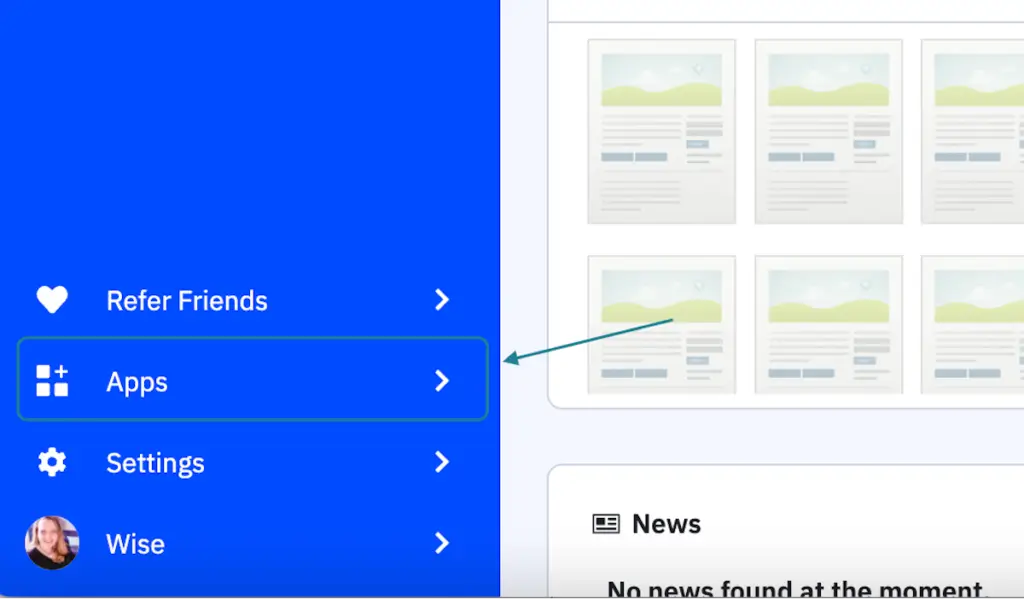
2. Type “Facebook lead” in the search box at the top right corner

3. Click on Facebook Lead Ads
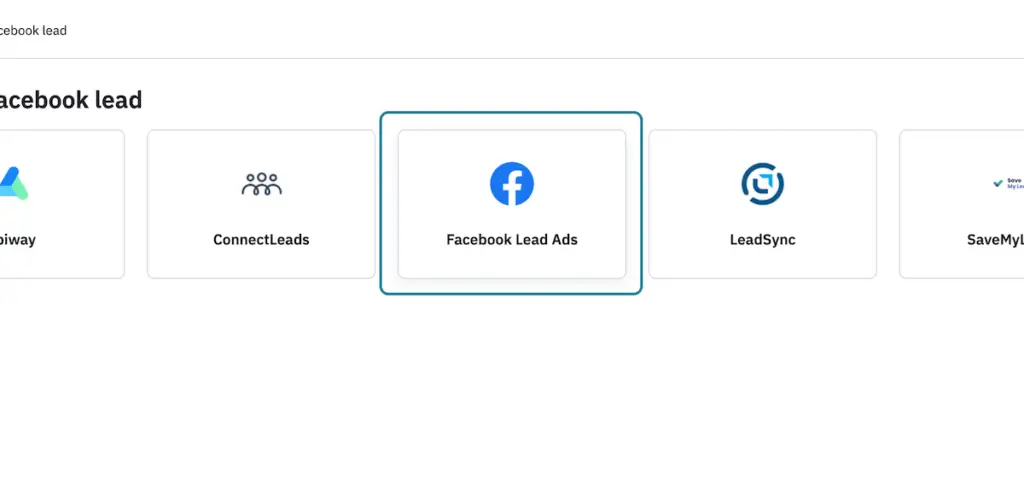
4. Click on Add an account

5. Click Connect

6. Click on Continue as (your name)
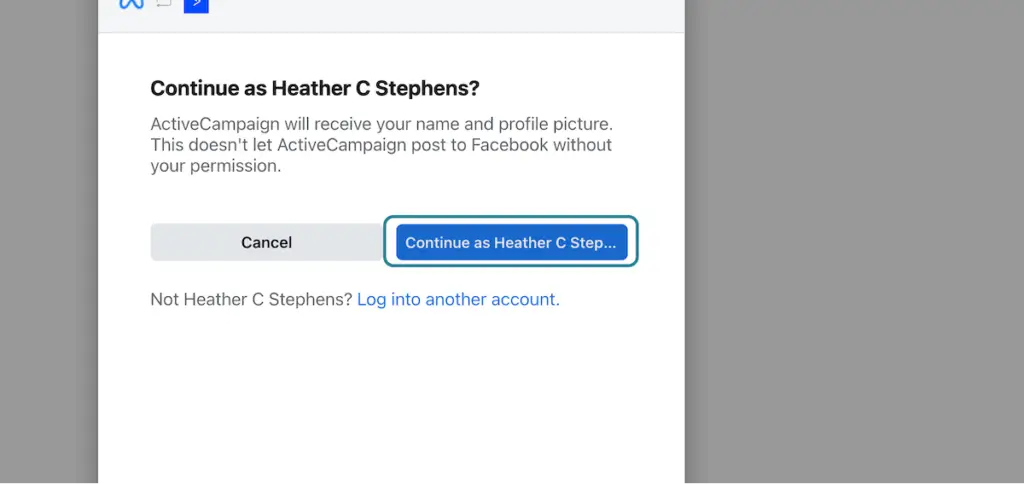
7. Check the ad account you want to connect to and then click next.
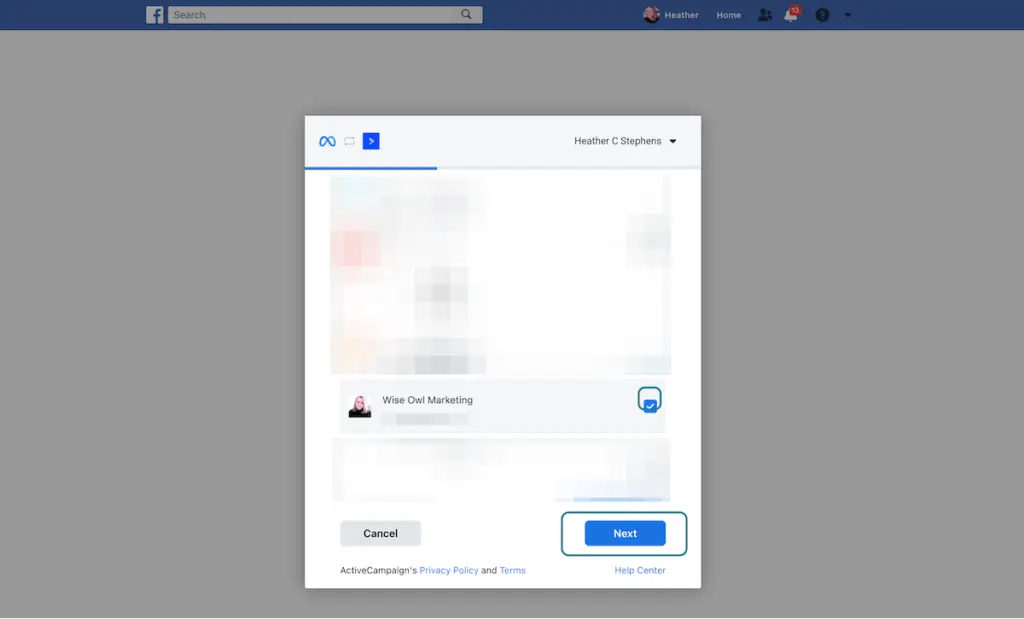
8. Give ActiveCampaign permission to access what it needs to see on Facebook. Then click “Done.”
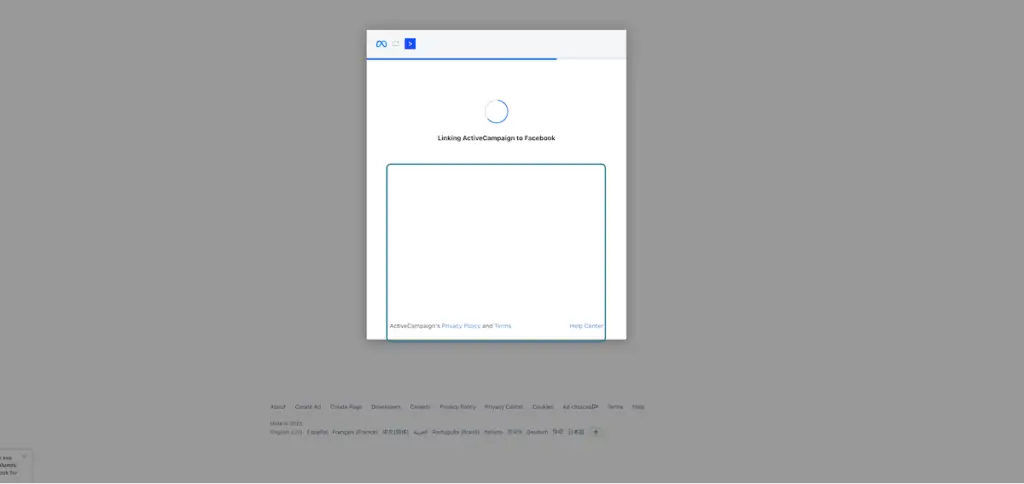
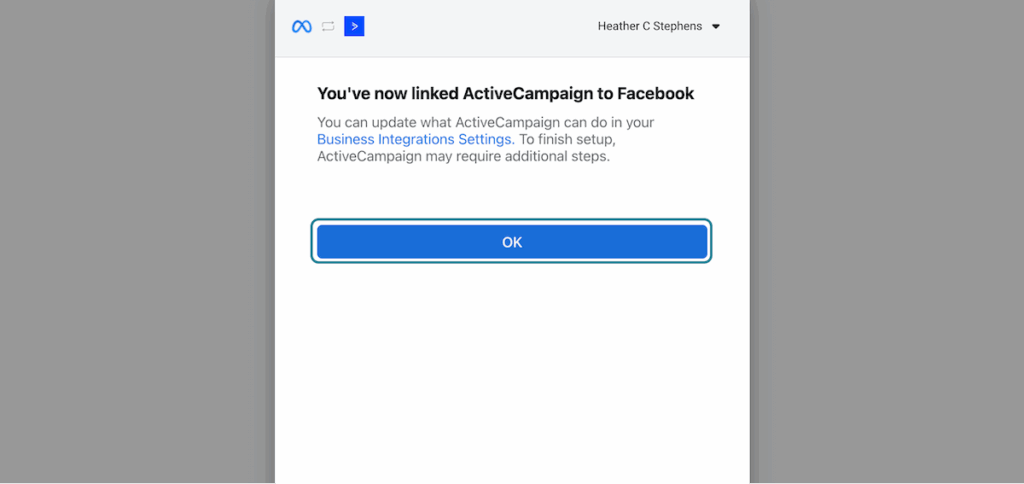
9. Click on OK when the accounts are linked.
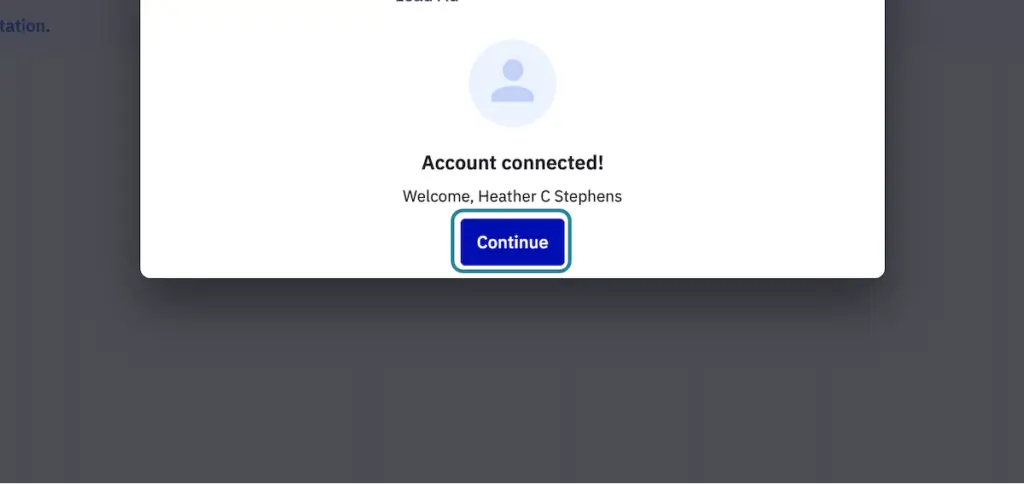
10. Click on Continue when you get the “Account Connected” success message!
11. Click on Create Contacts From Facebook Lead Ads and choose your account.
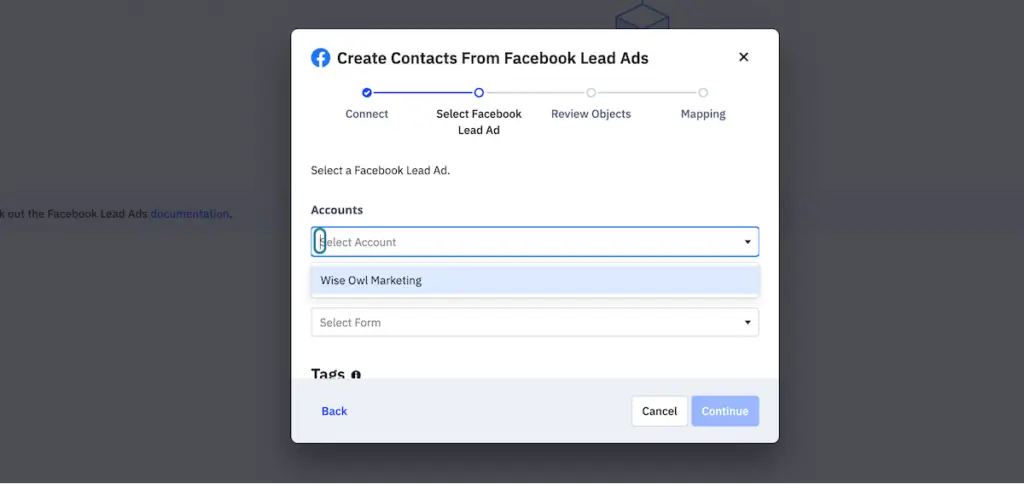
12. Select the Facebook Lead Ads Form you want to connect.
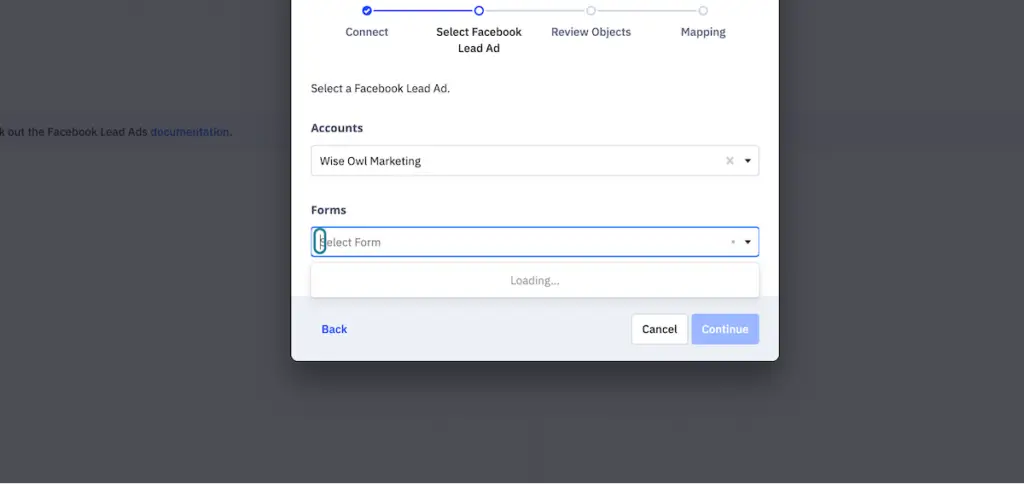
13. Click on Continue
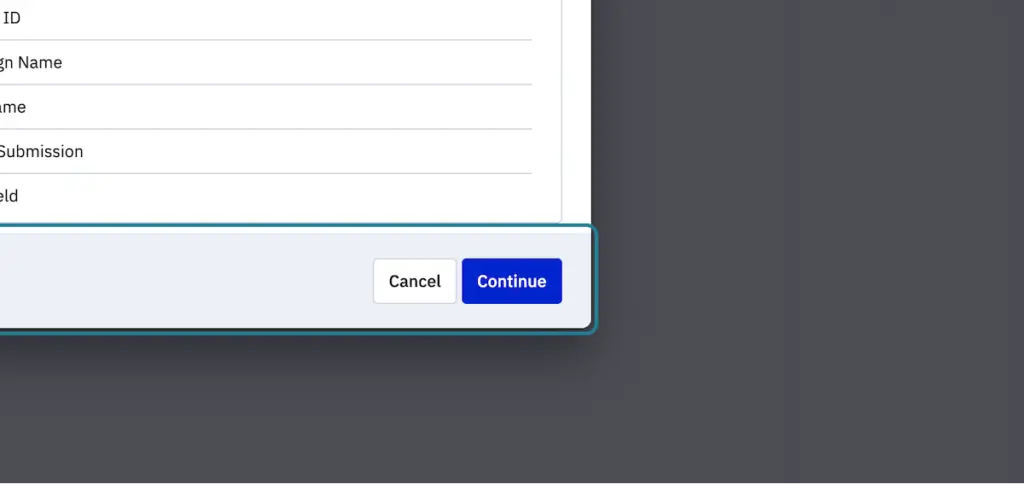
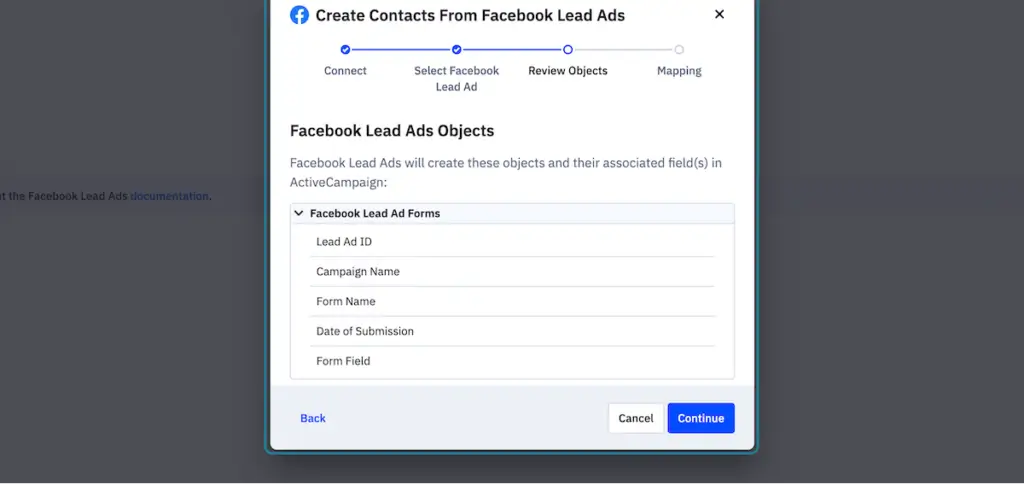
14. Click on Continue on the Facebook Lead Ad Objects screen
15. Map the fields between Facebook Lead Ads and Active Campaign
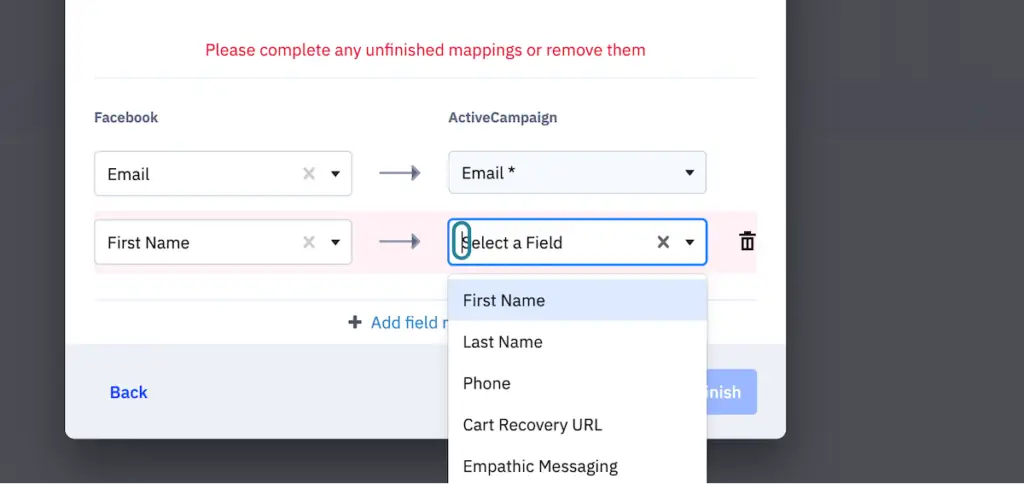
16. Click on Finish when you’ve mapped all the fields.
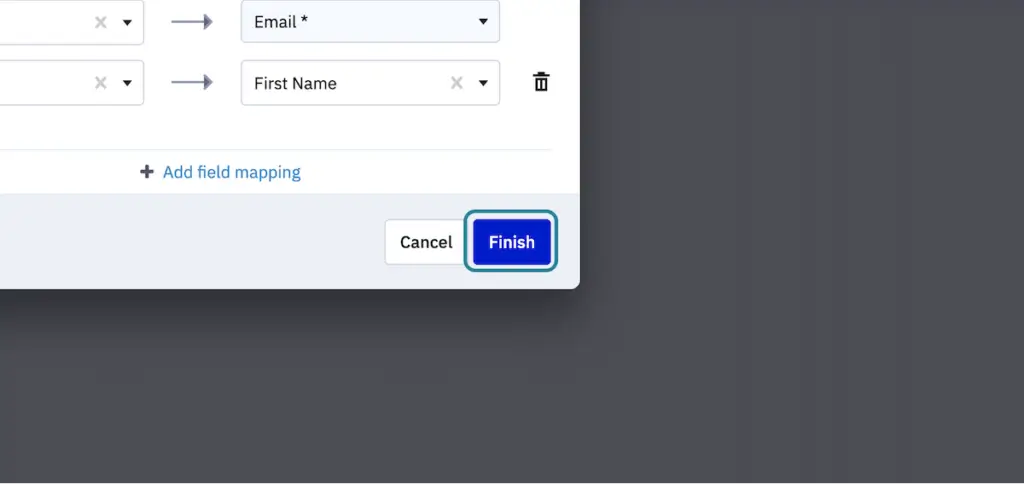
Congratulations! You’ve connected your ActiveCampaign account to your Facebook Lead Ads form, and you’re ready to start setting up your Welcome email automation.
Step 2: Set up your welcome automation in ActiveCampaign to deliver your lead magnet using the Facebook Lead Ad Form as the Trigger
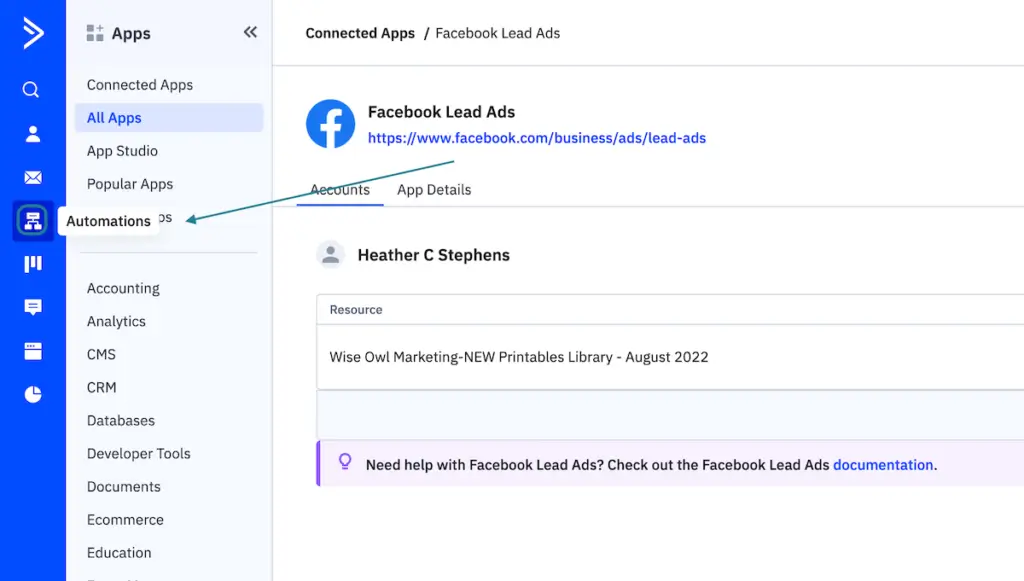
17. Click on Automations in the left sidebar of ActiveCampaign
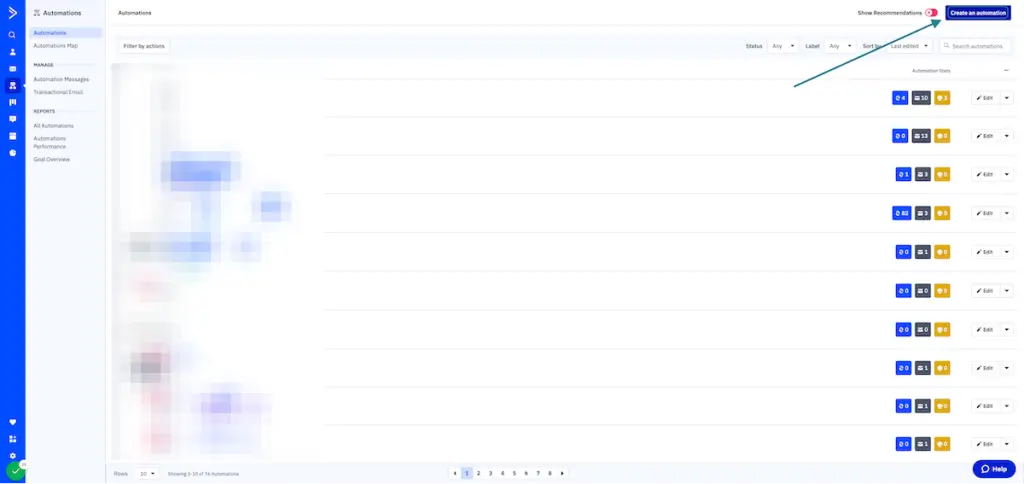
18. Click on “Create an automation” in the top right-hand corner of the screen.
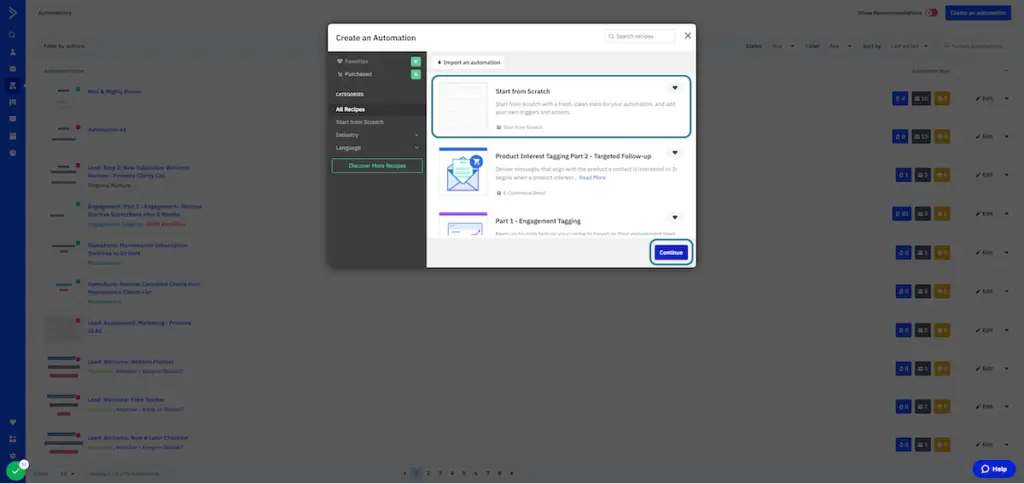
19. Click on Start from scratch and then click on Continue
20. Type “lead ” into the search box
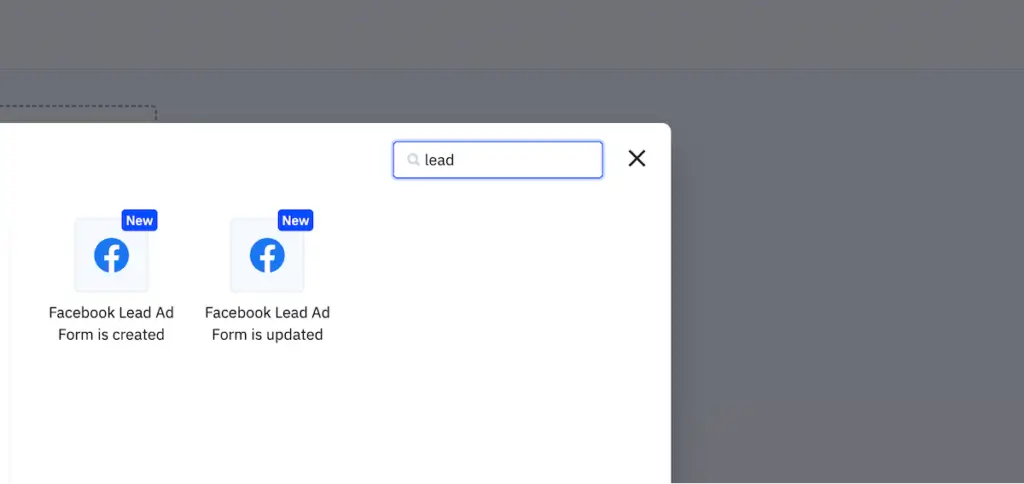
21. Click on Facebook Lead Ad Form is created
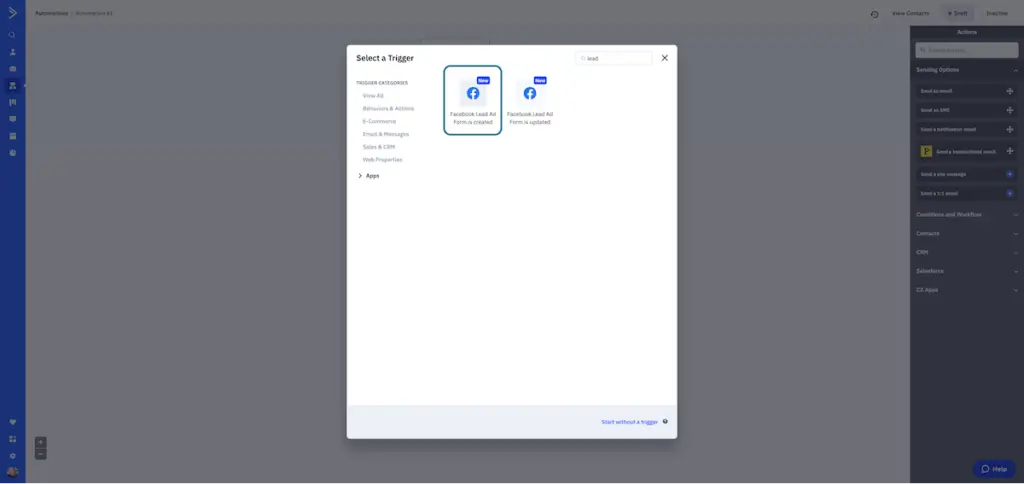
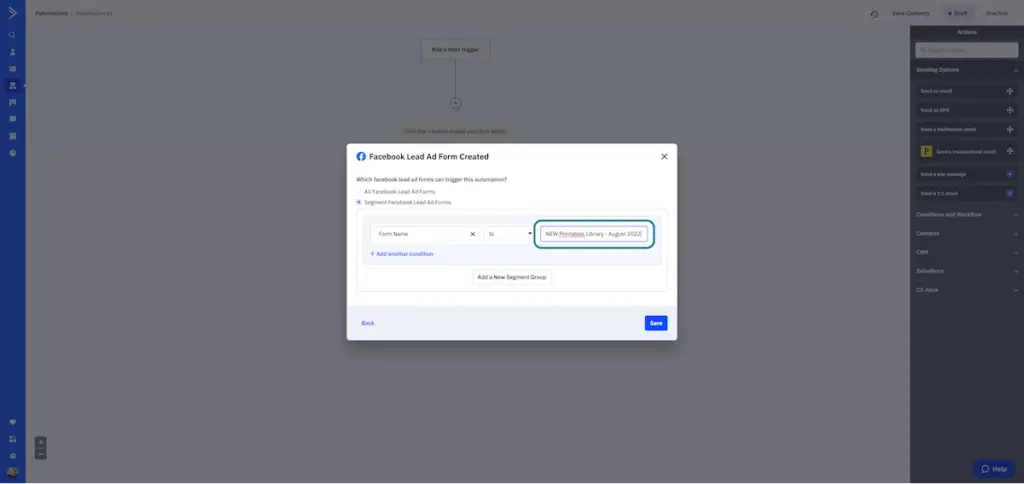
22. Select “Segment Facebook Lead Ad Forms”
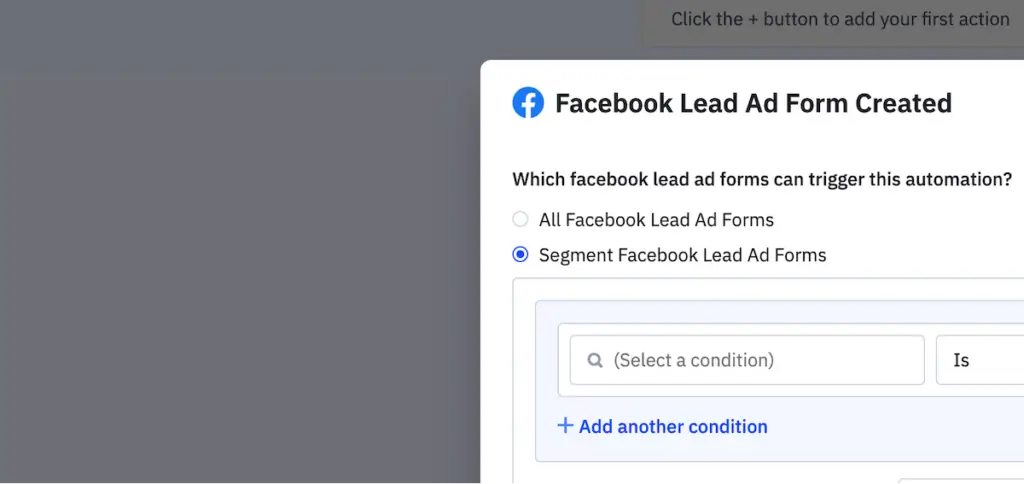
23. Click on “Select a condition” in the drop-down box
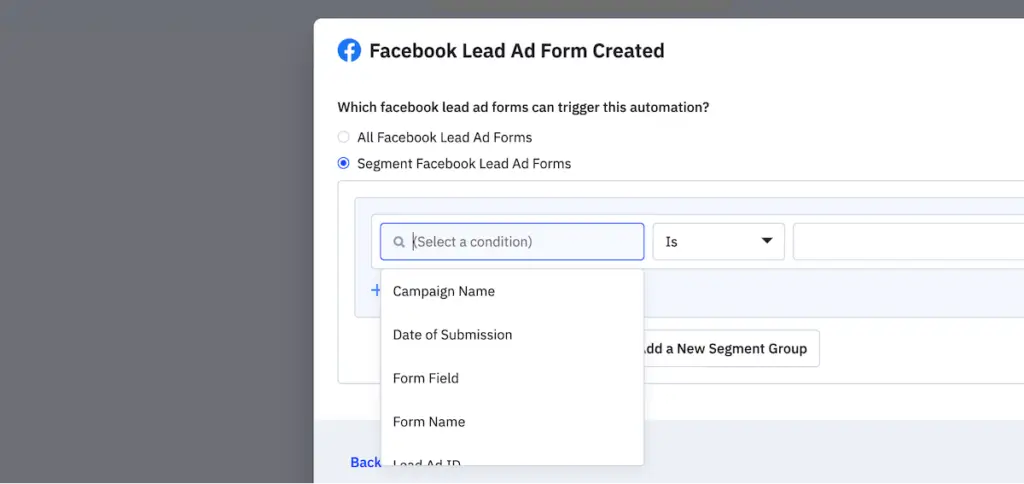
24. Choose “Form Name” to select the form for this opt-in lead magnet
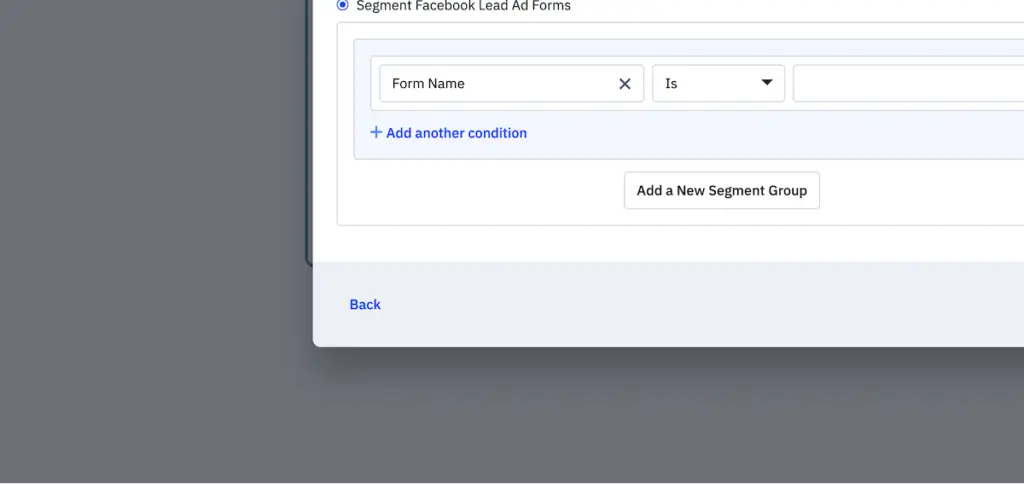
25. Paste the name of your form into the field exactly how it appears in your Facebook account.
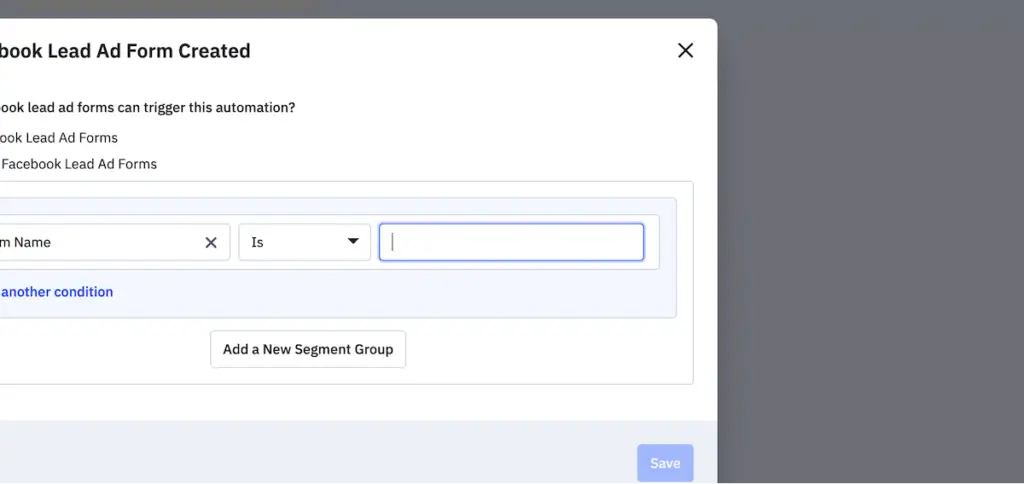
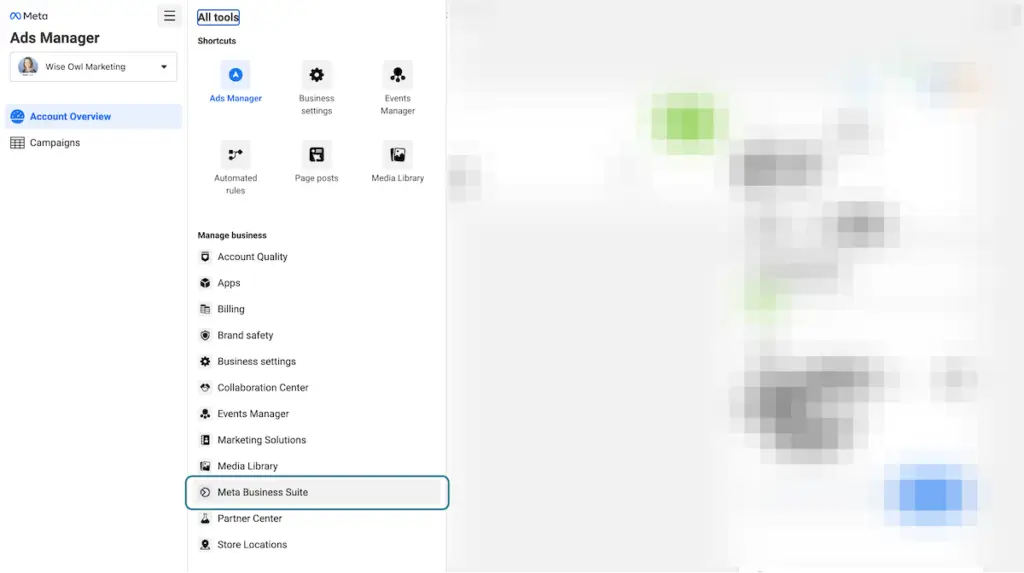
26. If you don’t know the form name exactly, log into your Facebook Ad account and click on “All tools”

27. Click on “Meta Business Suite”
28. Scroll Down and Click on “Instant Forms”
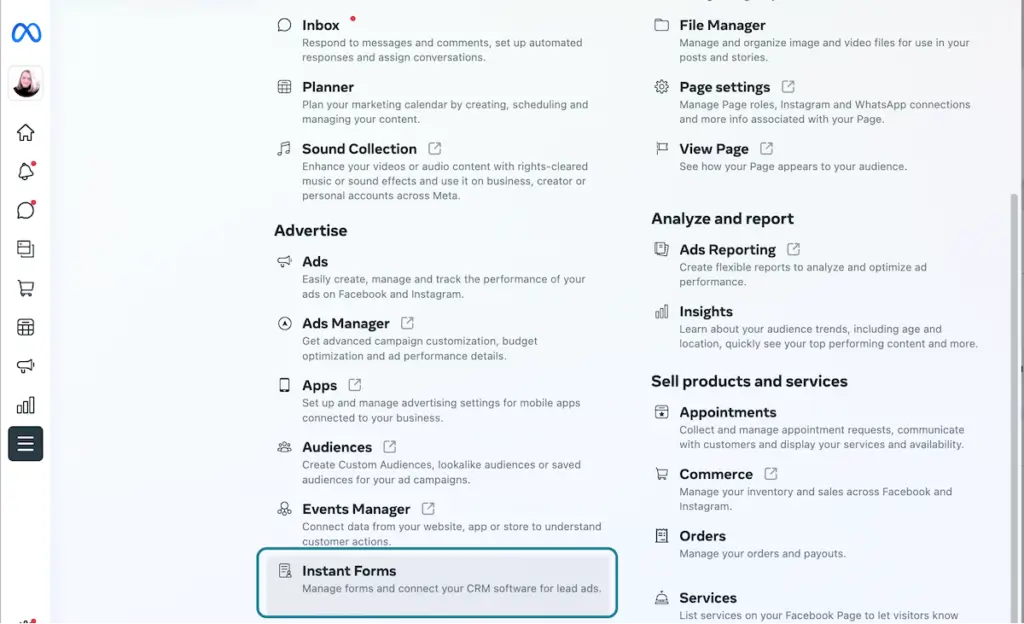
29. Copy the name of the form you want to connect to ActiveCampaign
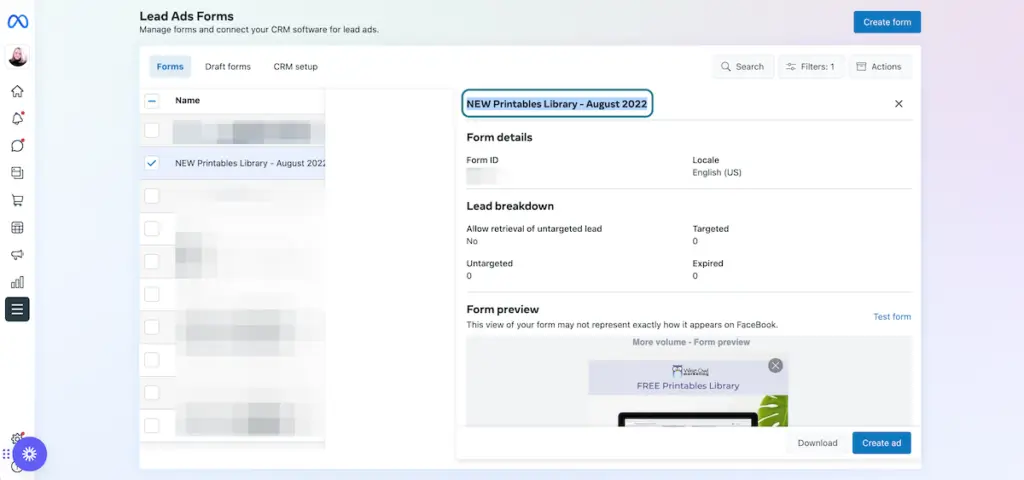
30. Go back to Active Campaign and paste the title into the field. Then click on Save.
31. Add your welcome email and set up the rest of your automation sequence. Here’s an example of mine for example…
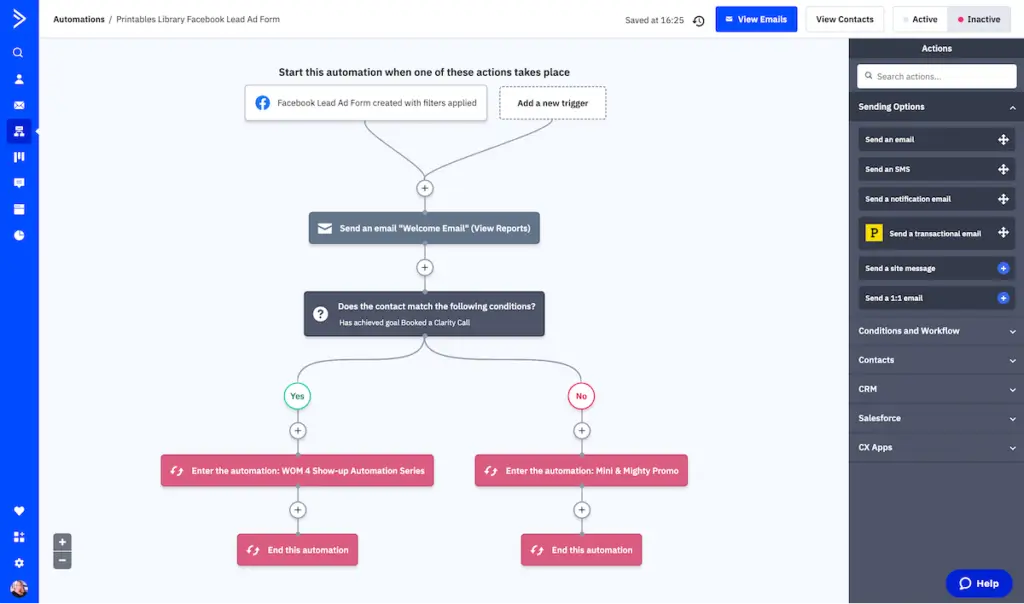
So there you have it. Click-by-click instructions to automatically sync your Facebook Lead Form Ad contacts to ActiveCampaign without having to pay for Zapier by using the new ActiveCampaign Facebook Integration!
If you don’t have an ActiveCampaign account, I’d be honored to have you sign-up through my referral link. Remember you need to have the Plus plan or above to use this integration.
Want help building a marketing funnel and setting up automation workflows to save you time in your business? Schedule a free, no-obligation clarity call! We’ll talk about what you need and see how we can help!
Happy Marketing!
🙂 Heather





Looking for Something Specific?

Where Should I Send Your Free 2026 Marketing Planning Bundle?
*Your free planner will be delivered to your inbox. Check your spam folder if you don't see it within 15 minutes. Submit a support ticket if you need help. By entering your email address, you agree to receive emails, including marketing tips, offers, and announcements, in accordance with my privacy policy.
