
The Power of a Marketing Planner: Streamline Your Marketing Workflow and Boost Your Success
By, Heather Stephens
This post contains affiliate links, which means that I may receive a commission at no cost to you if you make a purchase. Thank you for supporting my small business. It means the world to me.
Managing marketing tasks can be daunting for any coach, creative, or service provider. With numerous projects, deadlines, and team members to coordinate, it’s easy for things to get messy and essential tasks to fall through the cracks.
I would be lost without my marketing planner. If you need help staying organized, prioritizing tasks, and getting consistent results with your marketing, get a marketing planner. It will change your life.
Today, let’s dig into the benefits of using a marketing planner, the types of planners available, and how to choose the right one for your needs. I will also give you my monthly planning routine and how I broke myself from the cycle of being an on-again and off-again planner.
We’ll also discuss how to set up your marketing planner, organize and prioritize tasks, track and measure your efforts, integrate it with digital tools, streamline your workflow, and share success stories of marketers who have achieved great results with their planners.

The Challenges of Managing Marketing Tasks & Why You Need a Marketing Planner
Managing marketing tasks can be overwhelming. It’s easy to get lost in a sea of deadlines, projects, and competing priorities if you haven’t mapped out a clear plan and a system. Here are some common challenges coaches face, how they impact their business, and how a marketing planner can be the solution.
Problem 1: Time Constraints
When juggling multiple responsibilities in your business and life, it’s hard to find time to consistently focus on marketing tasks, slowing down your business growth.
A marketing planner can help you organize your marketing activities and create a clear roadmap, allowing you to use your limited time and energy resources more efficiently.
Problem 2: Inconsistent Marketing/Visibility
Irregular content and sporadic social media updates result in an inconsistent online presence. This leads to missed opportunities and a struggle to consistently attract leads and clients.
A marketing planner makes it easy to create a consistent content marketing strategy to attract and engage clients consistently, ultimately boosting business.
Problem 3: Work-Life Imbalance
Ah, the elusive work-life balance goal we’re all looking to achieve. Let’s be honest with ourselves. Growing a business demands hard work, marketing is time-consuming, and it is hard to not overwork when you love what you do.
My marketing planner helps me set boundaries, see where I’m spending too much time, and help me spot places where I can be more efficient. It also reduces stress and helps me maintain a healthier work-life balance without sacrificing my business growth.
Problem 4: Poor Prioritization
How do you determine which marketing and business tasks should take precedence? Business owners are great “fire” putter-outers, but we’re not always the best at prioritizing those long-term projects that set us up for long-term success. I procrastinated for over a year to build my funnel because I was so busy building funnels for my clients.
Using a marketing planner helps you organize projects and tasks and set clear priorities to focus on the high-impact activities that drive business results.
Problem 5: Inefficient Workflows
How much time do you waste re-doing things you forgot you did, doing repetitive tasks that could be automated, or chasing your tail because of inefficient workflows?
You can quickly spot the inefficiencies in your business to save time and increase productivity when you have a marketing planner that prompts you to reflect on what’s working and what’s not each week and month.
In summary, a marketing planner provides a structured solution to manage time, maintain consistency, achieve work-life balance, prioritize effectively, and streamline workflows.

10 Popular Types of Marketing Planners: Which One is Right for You?
There are various types of planners available for marketers. They each have their own features and benefits. Here are some of the most popular options.
Printed Paper Calendars
Printed paper calendars are physical, often monthly or yearly, planners with designated daily spaces. They are simple, portable, and require no digital skills. Printed paper calendars are the perfect marketing planner for people who appreciate a traditional, hands-on approach to planning and don’t require advanced digital features.
Pros:
- Tangible: Ideal for those who prefer a physical presence.
- No Technical Skills: Suitable for individuals who are not tech-savvy.
- Quick Access: Easily accessible without the need for digital devices.
Cons:
- Limited Space: Limited space for detailed planning.
- Non-Collaborative: Not conducive to team collaboration.
- Vulnerability: Prone to being lost or damaged.
My preference is a large, wall-size year-at-a-glance calendar. I use it to plan marketing promotions around my personal life, vacations, kid’s schedules, etc. Here’s the calendar* I like.
Whiteboards
Whiteboards provide a large, erasable surface for visual planning and task management. Perfect for visual thinkers, small teams, or individuals who prefer real-time, visible planning.
Pros:
- High Visibility: Great for those who think visually.
- Adaptable: Can easily erase and rearrange tasks.
- Team Collaboration: Ideal for teams working in a shared space.
Cons:
- Limited Space: Available space depends on the whiteboard’s size.
- Non-Portable: Not suitable for those who need a portable solution.
- Lacks Digital Features: No digital syncing or reminders.
I don’t have space in my office for a whiteboard, but I love brainstorming with post-it notes and white-board markers on my sliding glass door! Here are the glass whiteboard markers* I love on Amazon.
Physical Notebook Planners
Physical notebook planners are portable, paper-based organizers with customizable sections for scheduling and note-taking. People who prefer the tactile experience of writing and enjoy personalizing their planning tools.
Pros:
- Portability: Easy to carry around for on-the-go planning.
- Customizable: Personalize sections to suit your needs.
- Offline Use: No need for an internet connection.
Cons:
- Limited Space: You may have limited space for detailed notes.
- Non-Shareable: Not designed for collaborative planning.
- Lack of Automation: No automated reminders or notifications.
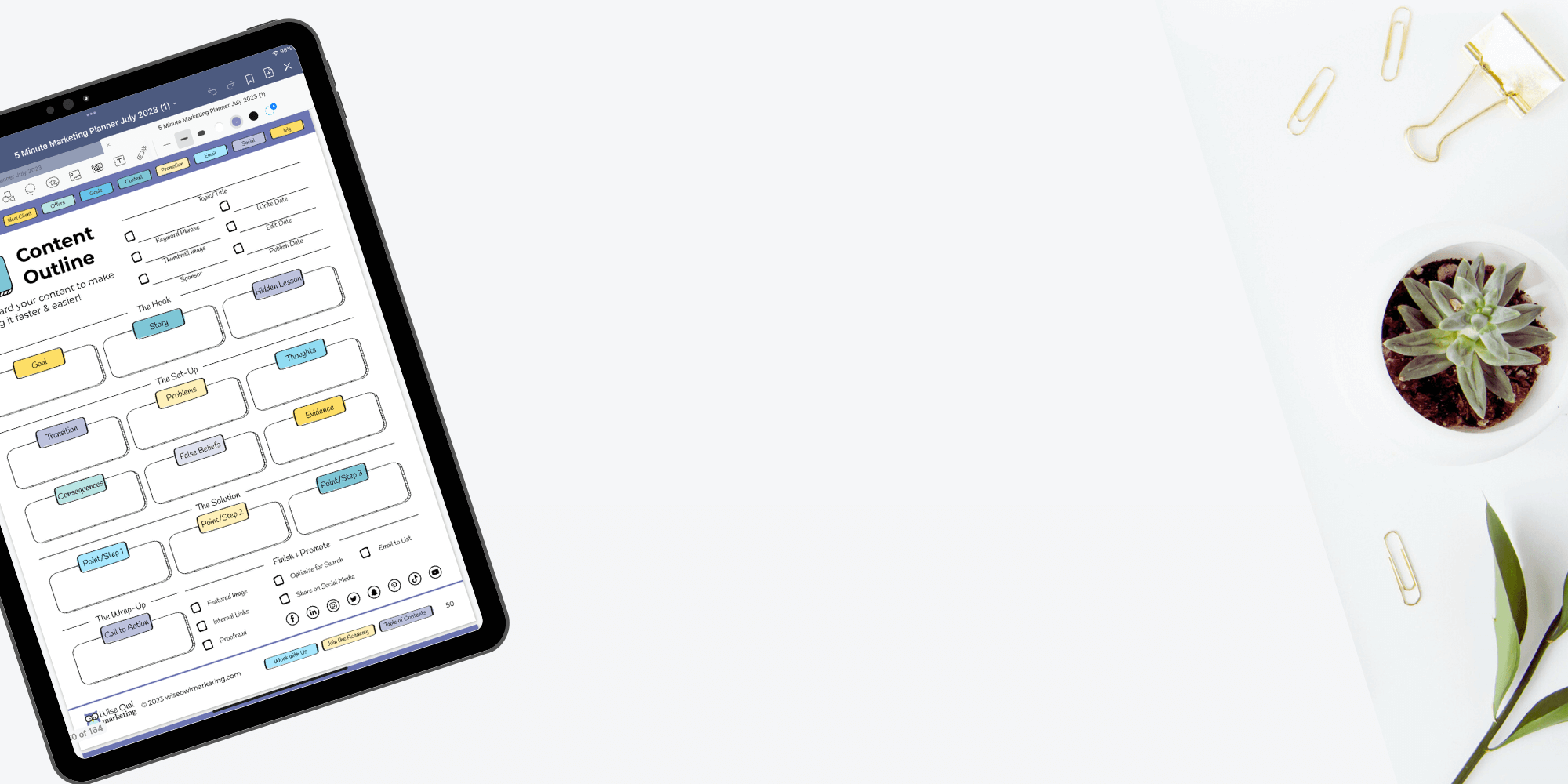
I was a paper-planning kind of girl until I found the Goodnotes App. Since then, I’ve been doing my marketing planning digitally on my iPad with the 5-Minute Marketing Planner I created. Sign up for Planner Genius and I’ll send you one every month!
Kanban Boards:
Kanban boards are visual task management tools using columns and cards to represent tasks. They’re often used for project management and workflow visualization.
Pros:
- Visual and Intuitive: Appeals to those who prefer visual organization.
- Task Prioritization: Easily identify task status and priorities.
- Project Management: Suitable for teams handling complex projects.
Cons:
- Non-Portable: Physical boards are not easily transported.
- Limited for Complexity: This may require digital tools for complex tasks.
- Collaboration Needs: Online tools needed for remote team collaboration.
Preferred User: Visual thinkers, project managers, and teams looking for a visual approach to task management.
I love Kanban planning but prefer tools like Asana and Trello instead of a physical Kanban board. If you like having something visual on the wall, you can get a fancy Kanban board like this*.
However, why would you want to when a stack of Post-it notes and a wall, door, or window works fantastic? If you have a magnetic whiteboard you want to use with a Kanban planning approach, these magnetic, dry-erase labels* look like they might be handy.
Spreadsheets
Some people love their spreadsheets, and I can see why. They’re great for data organization, including task lists and calendars. They are highly customizable and make tracking marketing metrics so easy! Analytical thinkers, data-driven planners, and those comfortable with digital tools would enjoy doing their marketing planning in a spreadsheet.
Pros:
- Customizable: Adapt to various planning needs.
- Data Tracking: Suitable for tracking and analysis.
- Complex Data: Can handle detailed and complex information.
Cons:
- Limited Visual Appeal: It may lack aesthetics for some users.
- Non-Collaborative: Not designed for real-time team collaboration.
- Learning Curve: This may require time to master for some users.
I use spreadsheets to help me organize keyword marketing metrics, calculate rates on projects, etc.
Marketing Calendar Software
Marketing calendar software is specialized software designed for marketing professionals. It offers data storage, collaboration tools, automated reminders, and notifications.
Pros:
- Designed for Marketing: Tailored for marketing tasks and campaigns.
- Centralized Data: All marketing information in one place.
- Automated Reminders: Set and forget tasks with automatic notifications.
Cons:
- Cost: Some premium software may come with subscription fees.
- Learning Curve: This may require time to adapt to new software.
- Internet Required: Typically needs an internet connection.
Coschedule*has an excellent marketing calendar tool for content planning, social media scheduling, and marketing campaign management. It provides features for collaboration, automation, and analytics. Use my affiliate link link to get your Free Content Marketing Calendar Software by CoSchedule*!
After planning my marketing on my iPad each month, I transfer the weekly blog post topics I plan to create into Asana to organize my workflow. We use Social Curator* to create and schedule our social media posts.
Project Management Tools (e.g., Asana, Sunsama, Trello)
Project management tools offer a versatile platform for task and project organization. They often include task lists, timelines, and collaboration features. Great for project managers, teams, and business owners managing and planning multiple marketing projects and tasks.
Pros:
- Versatile: Works well for wide range of projects and tasks.
- Complex Projects: Ideal for managing complex projects with many tasks.
- Collaboration Features: Allows real-time team collaboration.
Cons:
- Complex for Simple Tasks: They can be overwhelming for straightforward planning.
- Setup Time: This may require initial setup time for detailed projects.
- Paid Plans: Some advanced features may require a paid subscription.
I have tried so many different project management tools. Here are my favorites and why I love them:
Asana: Asana is the tool we use on our team to manage client work and internal projects. It’s our go-to choice for managing various projects and tasks. It makes it easy to manage our team, projects, clients, etc. It also integrates with our time-tracking software, Google Drive, etc. We used the free version for years before we upgraded to a paid level.
Sunsama*: Sunsama is a rising star in the world of project management. It offers an intuitive platform for task and project organization. I love that I can pull my Asana tasks into it and have one clean dashboard for me to use. I also really enjoy the guided daily planning prompts to organize my routine and the end-of-the-day recap so I can clear my head and enjoy my family. Use my link to get a free 30 day Sunsama trial* (no credit card needed)!
Digital Note-Taking Apps (e.g., Evernote, OneNote, GoodNotes, Apple Notes)
Digital note-taking apps provide a platform for organizing notes and tasks digitally. They often include features for note synchronization and tagging. I recommend these for individuals who prefer a digital approach to note-taking, planning, and organization.
Pros:
- Organization: Excellent for managing notes and tasks in one place.
- Searchable Content: Easily find notes and tasks through search.
- Sync Across Devices: Access your notes and tasks from various devices.
Cons:
- Lack of Specialized Planning: May not have dedicated planning features.
- Feature Overload: Some users may find too many features distracting.
- Limited Visual Representation: Less visual than other planning tools.
As I mentioned earlier in this post, the GoodNotes app on my iPad is my planning BFF. However, I love to use Apple Notes for quick reference things, like my brand style guide, links to landing pages, etc.
AI-Powered Planning Tools (e.g., smart calendars, virtual assistants)
AI-powered planning tools utilize artificial intelligence to offer suggestions, automation, and personalized planning and task-management insights. These are good for tech-savvy individuals who value automation and personalized planning assistance.
Pros:
- Smart Suggestions: Offers intelligent task and schedule recommendations.
- Integration: Often integrates with other apps and services.
- Personalization: Tailored suggestions and insights to individual needs.
Cons:
- Privacy Concerns: Some users may have concerns about data privacy.
- Adaptation Required: Users may need time to adapt to AI recommendations.
- Limited Customization: May not offer extensive customization options.
Planning with a tool like Motion* promises to increase productivity by 137% by using AI to build your schedule and organize your meetings to increase efficiency. I just signed up for it, and I see how eliminating multiple tools and keeping everything in one place would be helpful to streamline my day. I’ll let you know what I think after I have more time with it. Get a 7-day free trial to Motion* when you use my link.
Mind Mapping Software (e.g., MindMeister, XMind)
Mind mapping software facilitates visual brainstorming and planning, with nodes and branches representing ideas and tasks. Creatives, brainstormers, and individuals who prefer visual approaches to idea and task organization tend to gravitate toward mind mapping for their marketing planning.
Pros:
- Visual Representation: Ideal for visual thinkers and brainstorming.
- Idea Organization: Helps structure and organize thoughts and tasks.
- Collaboration: Often allows for real-time collaboration on mind maps.
Cons:
- Not for Detailed Tasks: Less suitable for detailed task management.
- Learning Curve for Complex Projects: This may require time to master for complex projects.
- Additional Tools for Execution: Often used alongside other planning tools for task execution.
I’m not a big mind-map user, but I have a client (John S., I’m talking to you!) who created a gorgeous mind-map with at least 5 years of weekly content ideas. It’s impressive, and I can see why people love it.
Bottom line, each type of marketing planner offers unique benefits and drawbacks, catering to different planning styles, needs, and preferences. The right marketing planner for you depends on your planning preferences, the complexity of tasks, collaboration needs, and the level of digital integration you require.

How to Choose the Right Planner for Your Marketing Needs
Now that you’re familiar with the different types of planners available, how do you choose the right one for your marketing needs? Here are some things to consider:
Team Size and Collaboration Needs
Consider the size of your marketing team and the level of collaboration required. If you work with a large team, you may need a planner that offers robust collaboration features and allows for easy communication and file sharing. Smaller teams or individual marketers may prefer a more straightforward approach.
TIP: Most of my readers and clients are coaches, consultants, and service providers with a VA and/or a few part-time teammates. Avoid overengineering your system. The more detailed it is, the harder it is to manage. Keep it simple. The Google Doc version of our marketing planner and a Google Calendar are enough until your marketing needs grow.
Workflow and Project Management Requirements
Evaluate your workflow and project management needs. If you have complex projects with multiple stages and dependencies, a planner with Kanban board functionality, like Trello, Asana, or Sunsama*, may be beneficial.
A whiteboard, printed paper calendar, or notebook-style planner may suffice if you prefer a more traditional approach.
Tip: We used the free version of Asana for years in our business. It worked great when it was just me, and the platform has fit our needs as my team has grown.
Digital Integration and Automation
Consider your preferences for digital integration and automation. Suppose you rely heavily on digital tools and platforms for your marketing activities. In that case, you may want a planner that seamlessly integrates with these tools, such as marketing calendar software. This can help streamline your workflow and eliminate manual data entry.
Tip: We use Zapier to automatically add form submissions (for client maintenance tickets) to Asana. We also have integrated it with Google Docs to manage our marketing content, client work, and team SOPs (standard operating procedures).
Customization and Flexibility
Think about your need for customization and flexibility. Some planners offer pre-designed templates and structures, while others allow for more customization and adaptability. Consider whether you prefer a planner that provides a structured framework or one that will enable you to tailor it to your specific needs.
Tip: Pick a marketing planner you enjoy using. One of my clients, Deana, has used my 5-Minute Marketing planner for years. In one of our planning parties, she commented how much she enjoyed the simple Google Doc version.
Budget and Cost Considerations
Finally, consider your budget and cost considerations. Printed paper calendars or notebook-style planners are a low one-time cost. In contrast, like marketing calendar software, others may require a subscription or licensing fee. Determine your budget and weigh the costs against the features and benefits of each option.
Setting Up Your Marketing Planner
Once you’ve chosen the right marketing planner for your needs, it’s time to set it up for success. Here are some steps to follow:
Define Your Marketing Goals and Objectives
What are your marketing goals and objectives? Are you promoting a specific offer this month, focusing on list building, or getting more repeat sales from your existing customers? Set measurable goals and the activities you will do to get there. Your goals are the foundation of your marketing plan and will guide your marketing-planning process.
Map Out Your Marketing Strategy and Tactics
Next, map out your marketing strategy and tactics in your planner. Identify the key strategies and tactics you will use to achieve your goals. This may include creating one piece of content per week and splintering it across your social, email, paid ads, and other marketing channels.
TIP: Here are a few blog posts to help you with your marketing strategy.
- How I Plan My Quarterly Marketing Strategy
- How to Leverage Long-Form Content to Easily Grow Your Business in 2023
- 3 Simple Daily Marketing Activities To Attract More Leads and Clients to Your Business
Establish a Publishing Schedule
Create a publishing schedule in your planner to outline when and where your marketing content will be published. I’m talking about blog posts, social updates, email newsletters, videos, and any other content formats you use. Set specific deadlines and assign responsibilities to ensure your content is consistently published and aligned with your overall strategy.
Tip:
- Create one piece of content per week.
- Email your list once a week and include the content you created that week.
- Engage with your audience and share your marketing content on social media 3-5 times per week.
Set Up Task Management and Collaboration
Utilize your planner’s task management and collaboration features to assign tasks, set deadlines, and track progress. If you have a team, this allows you to easily manage and coordinate your marketing activities, ensuring everyone knows their responsibilities and can work together seamlessly. If you are working solo, it will help you stay on track.
Track Data and Analytics
Track data and analytics in your marketing planner to measure the performance of your marketing efforts. Are you tracking website traffic, landing-page conversion rates, social-media engagement, or any other key performance indicators relevant to your goals? Review and analyze this data regularly (at least monthly) to optimize your marketing strategy and make data-driven decisions.
Review and Update Regularly
Regularly review and update your marketing planner to keep it aligned with your goals and business needs. As new opportunities arise or priorities shift, make the necessary adjustments to your plan. This continuous review and update process will help you stay agile and responsive in a dynamic marketing landscape.
Organizing and Prioritizing Marketing Tasks
Effectively organizing and prioritizing your marketing tasks is critical if you want to stay on track and achieve your goals. Here are some tips for organizing and prioritizing your tasks using your marketing planner:
Break Down Projects into Smaller Tasks
Break down larger marketing projects into smaller, more manageable tasks. This makes tackling them easier and allows you to track progress more effectively. Assign deadlines to each task and give yourself the time and resources to complete it.
Prioritize Based on Importance and Impact
Organize your tasks based on their importance. Focus on tasks with the most significant potential impact and move you closer to achieving your objectives. Consider the urgency of each task and the time and energy resources required to complete it.
Align Tasks with Your Marketing Strategy
Ensure that each task is aligned with your marketing strategy and contributes to your overall goals. Evaluate whether each task supports your key strategies and tactics. If a task does not align with your strategy or move you closer to your goals, stop doing it. I like creating a monthly “stop, start, and continue” list so we always improve.
Communicate Expectations and Deadlines
Clearly communicate expectations and deadlines to your team members (and yourself!). That way your teammates are aware of their responsibilities and can prioritize their tasks accordingly. Regularly communicate updates and progress to keep everyone informed and aligned.
Use Tools and Automation to Streamline Tasks
Take advantage of tools and automation to streamline and automate repetitive or time-consuming tasks. This frees up your time and resources to focus on more strategic activities. Use features within your marketing planner or explore external tools that integrate with your planner to optimize your workflow.
Organizing and prioritizing your marketing tasks effectively helps to maximize your productivity and ensure that you are focusing on the most important activities that will drive results.

Conclusion
Today, we’ve explored the benefits of using a marketing planner, delved into various planner types, and learned how to choose the right one for your needs. We’ve discussed the common challenges of managing marketing tasks and how a marketing planner can simplify your life.
Finally, we’ve dissected ten popular planner types for every planning style and preference.
Now, it’s time to set up your chosen planner for success. Define your goals, map out your strategy, establish schedules, integrate data, and never stop adapting.
Effective organization and task prioritization are vital to successfully growing your online business. Break down projects, prioritize wisely, align tasks with your strategy, communicate clearly, and embrace automation for efficiency.
Now, go conquer your marketing goals with your marketing planner as your guide!
Do you want help planning your marketing content each month? Join us at our next monthly meeting for Planner Genius!





Looking for Something Specific?

Where Should I Send Your Free 2026 Marketing Planning Bundle?
*Your free planner will be delivered to your inbox. Check your spam folder if you don't see it within 15 minutes. Submit a support ticket if you need help. By entering your email address, you agree to receive emails, including marketing tips, offers, and announcements, in accordance with my privacy policy.
