Today I’m going to show you how to choose the right keyword for your next blog post. It is a simple 3 step process you can use to generate blog post topic ideas and stockpile content for future posts.
How to Choose the Right Keyword for Your Next Blog Post:
Did you know that there is a HUGE variance in average monthly searches for minimal changes in a keyword? For instance:
Business Consultant receives 12,100 monthly search volume Business Coach only receives 8,100
Women Entrepreneurs receives 12,100 monthly search volume Female Entrepreneurs only receives 3,100
Choosing the right keyword for your content can make a big difference in the amount of traffic it generates as well as how it affects your overall rankings.
I use a 3 step process when choosing a keyword for my content. It’s fairly simple to do and doing research can result in keywords for several pieces of content.
Step 1: UberSuggest
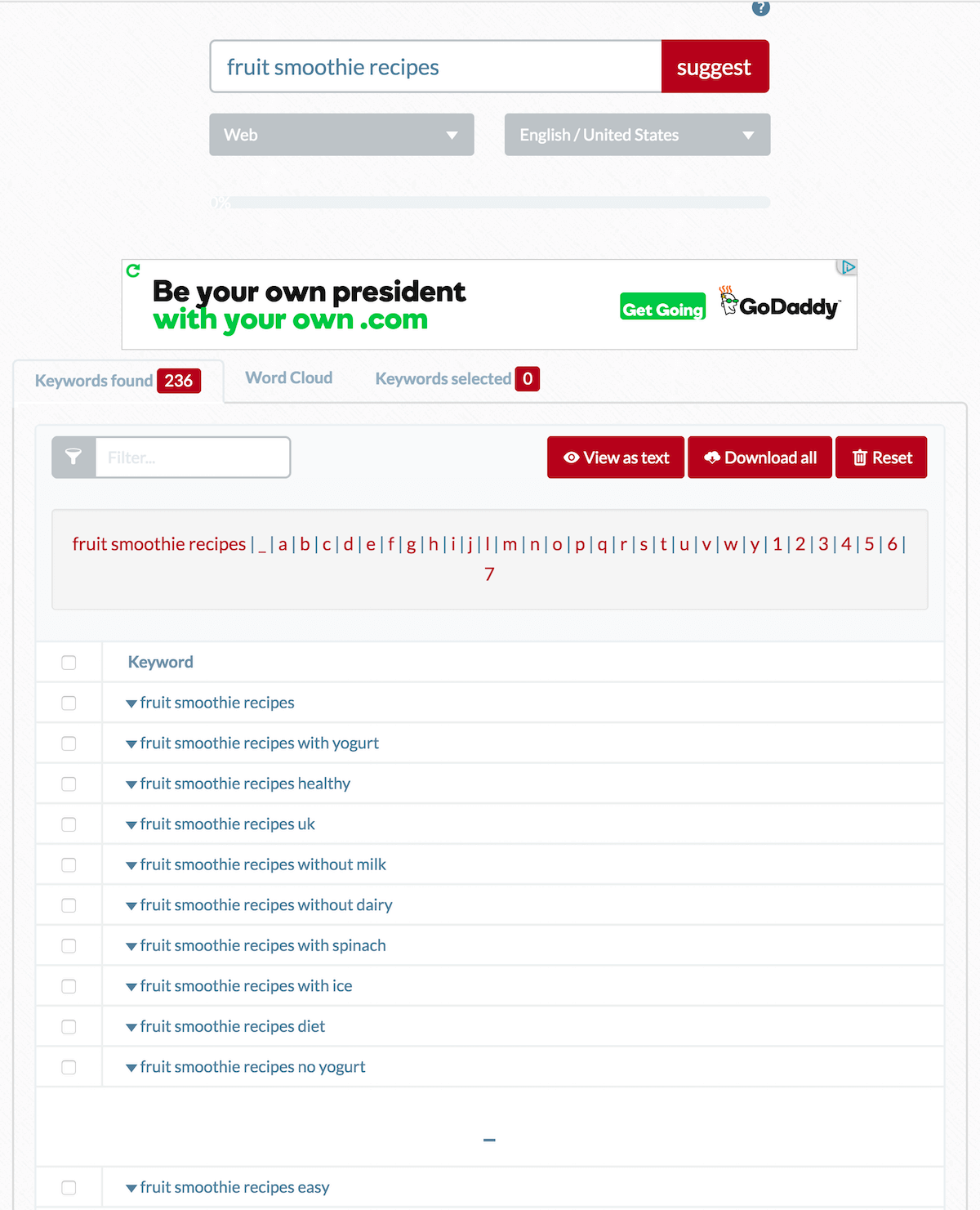
You should already know what topic your website is about. Let’s choose recipes, for example. There are sub-categories within that topic you could write about—dessert recipes, breakfast recipes, crockpot recipes, smoothie recipes, etc.
There are even more specific categories within each of those sub-categories: fruit smoothie recipes, strawberry smoothie recipes, etc.
Try to make a list like this for each of the 5-to-7 main categories on your website. Take this list you’ve just created and do a search in a tool called UberSuggest.io for some of the keywords, you think you might like to write about.
UberSuggest pulls in all the Google Suggest results and allows me to brainstorm & drill down to more specific long-tail keywords.
Step 2: Google Keyword Planner
I take a few of them that I like and enter them into the Google Keyword Planner to see their search potential.
Next, I look at the ideas that Google Keyword Planner generated for me. If I click on one of the Ad Groups, I can see even more keyword possibilities. I like to sort by Average Monthly Searches (highest to lowest) because it allows me to see which keywords have the most searches. Plus this gives me the opportunity to see which keywords with good searches have low competition.
By clicking “Add to Plan” in the far right-hand column for the ones that interest me, I can create a spreadsheet to download. If you want more specific numbers, you can adjust the dates in the average monthly searches and try adding them to an adwords campaign.
Take a peek at the results. Can you see that I now have some unique keyword variations I hadn’t thought of before?
fruit smoothie recipes for kids
fresh fruit smoothie recipes
summer fruit smoothie recipes
I look for keywords that have a decent amount of average monthly searches and that don’t have a ton of competition. Most of the ones Google gave me in this round of keyword research are relatively low competition. These longer tail keywords would make great blog post topics.
Step 3: BuzzSumo
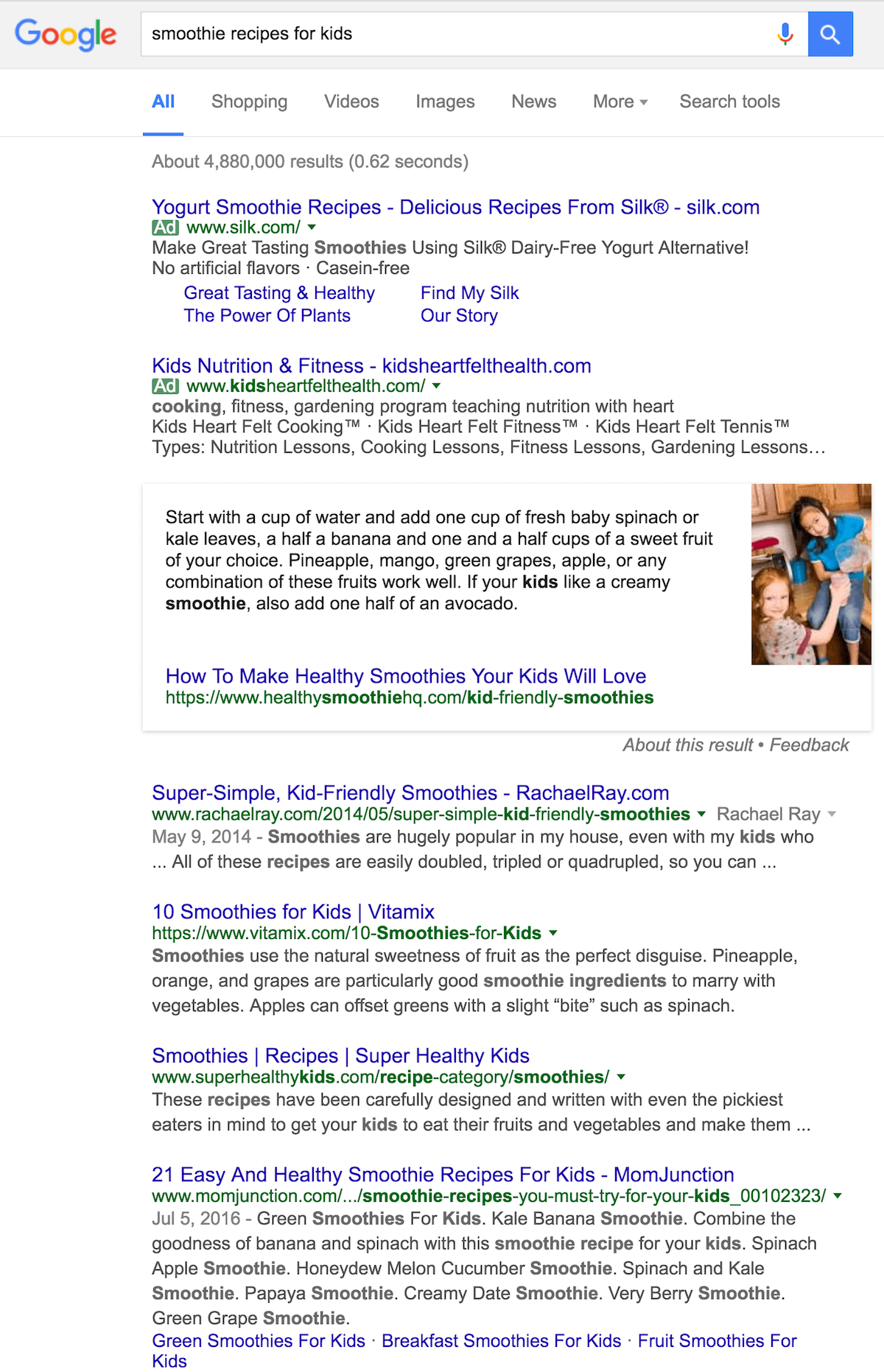
My last step is to do a Google search & search the keyword on BuzzSumo to see what articles have already performed well for this keyword.
Buzz Sumo Keyword Research
Keyword Research on Google
The results in Google Search and Buzz Sumo are great examples of my competition; as a result, I can see if there is an information gap I can fill. Can I piggyback off the top articles somehow? Stir up some “healthy” debate? Create a unique twist to the content?
Doing this kind of research helps me to create relevant content that is likely to do well with my audience. It also lists sites I might pitch my article or a similar article to for republishing. (This is important because publishing my article on another site can build links and authority back to my article.)
So now you know how to choose the right keyword for your next blog post or website page. You have also probably generated many other great keywords you can use for upcoming blog posts!
Stay tuned! Next week, I’m going to show you how to optimize your post for that keyword!
Do you want help with your Search Engine Optimization?
Let’s Chat! Join the Get Marketing Momentum program, and we’ll put our heads together to come up with keywords for your business!
Heather Stephens is a marketing strategist, website designer, and the founder of Wise Owl Marketing and the Peaceful Marketing Lab, a membership community for coaches and service providers who want marketing that feels like an extension of the work they love and creates predictable growth without the burnout.
Something went wrong. Please check your entries and try again.
*Your free planner will be delivered to your inbox. Check your spam folder if you don't see it within 15 minutes. Submit a support ticketif you need help. By entering your email address, you agree to receive emails, including marketing tips, offers, and announcements, in accordance with my privacy policy.